Whenever I stumbled around excerpts from error logs on the Mayan EDMS user forum, I asked myself, where and how to access these log files on my system. People happily included excerpts from their logs, but almost never gave any hint where to find these logs in a Mayan installation.
After some searching, here’s what I found out: There are (at least) 3 error logs. For debugging Mayan, the most important one is the /opt/mayan-edms/media/error.log.
tl;dnr
In order to have debugging activated…
- Log in as administrator into the Mayan GUI
- Go to
System/Setup/Settings - In the List click on the Settings button of the Logging section
- Change the
LOGGING_HANDLERSentry from- consoleto- logfile(not sure what the minus is good for) - The
LOGGING_LEVELentry is normally set toERROR. Possible values with increasing granularity areERROR,WARN,INFOandDEBUG. - Reboot your Mayan instance to make sure that the amended settings have been reloaded.
Debug output should now be directed to /opt/mayan-edms/media/error.log.
Less useful log files
Admin GUI of Mayan
The admin GUI of Mayan features a Global error log under the System / Tools section. Still one should not expect too much from this global error log. In the default setting, the only thing included is usually an empty section.
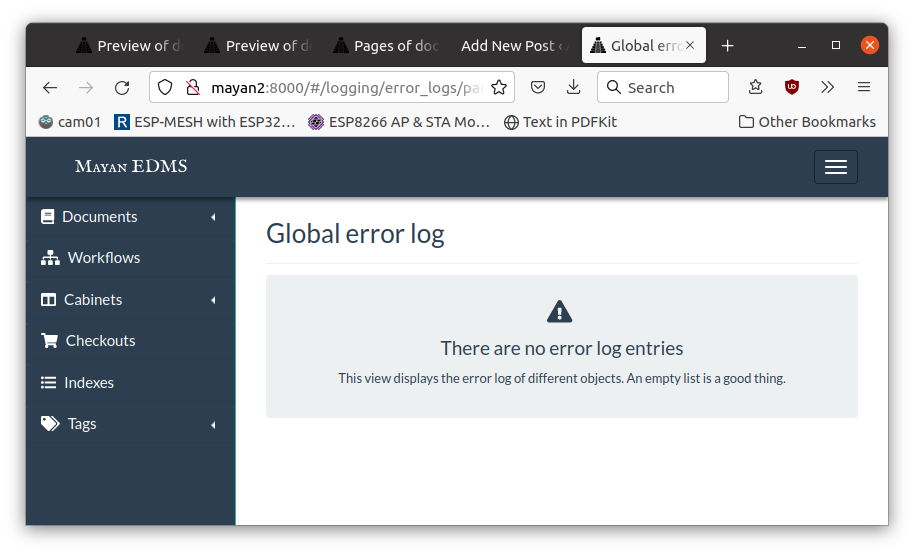
Not sure if this Global error log takes its entries from the /opt/mayan-edms/media/error.log.
/var/log/supervisor
Next candidate is the /var/log/supervisor directory. Unfortunately, as the name tells, it’s a log directory for supervisor in general and not for Mayan in particular. Entries in this log are therefore at a much higher level and refer to the function of the supervisor service in general, as the following tail from supervisord.log shows:
2022-06-28 14:07:35,353 INFO supervisord started with pid 697
2022-06-28 14:07:36,355 INFO spawned: 'mayan-edms-celery-beat' with pid 859
2022-06-28 14:07:36,359 INFO spawned: 'mayan-edms-worker_a' with pid 860
2022-06-28 14:07:36,363 INFO spawned: 'mayan-edms-worker_b' with pid 861
2022-06-28 14:07:36,367 INFO spawned: 'mayan-edms-worker_c' with pid 862
2022-06-28 14:07:36,370 INFO spawned: 'mayan-edms-worker_d' with pid 863
2022-06-28 14:07:36,388 INFO spawned: 'mayan-edms-gunicorn' with pid 864
2022-06-28 14:07:37,390 INFO success: mayan-edms-gunicorn entered RUNNING state, process has stayed up for > than 1 seconds (startsecs)
2022-06-28 14:07:45,110 INFO exited: mayan-edms-worker_a (exit status 1; not expected)
2022-06-28 14:07:46,296 INFO spawned: 'mayan-edms-worker_a' with pid 1122
2022-06-28 14:07:46,906 INFO success: mayan-edms-celery-beat entered RUNNING state, process has stayed up for > than 10 seconds (startsecs)
2022-06-28 14:07:46,906 INFO success: mayan-edms-worker_b entered RUNNING state, process has stayed up for > than 10 seconds (startsecs)
2022-06-28 14:07:46,906 INFO success: mayan-edms-worker_c entered RUNNING state, process has stayed up for > than 10 seconds (startsecs)
2022-06-28 14:07:46,906 INFO success: mayan-edms-worker_d entered RUNNING state, process has stayed up for > than 10 seconds (startsecs)
2022-06-28 14:07:47,933 INFO exited: mayan-edms-gunicorn (exit status 3; not expected)
2022-06-28 14:07:48,285 INFO spawned: 'mayan-edms-gunicorn' with pid 1149
2022-06-28 14:07:49,438 INFO success: mayan-edms-gunicorn entered RUNNING state, process has stayed up for > than 1 seconds (startsecs)
2022-06-28 14:07:57,153 INFO success: mayan-edms-worker_a entered RUNNING state, process has stayed up for > than 10 seconds (startsecs)
Apart from the relatively straightforward named supervisord.log there are a couple of further, rather cryptically named files relating to celery and gunicorn:
ilek@mayan2:/var/log/supervisor$ ls -alh
total 3.2M
drwxr-xr-x  2 root root   4.0K Jun 28 14:07 .
drwxrwxr-x 14 root syslog 4.0K Jun 28 14:37 ..
-rw-------  1 root root      0 Jun 28 14:07 mayan-edms-celery-beat-stderr---supervisor-pfdoonge.log
-rw-------  1 root root    359 Jun 28 14:07 mayan-edms-celery-beat-stdout---supervisor-uun1p3nz.log
-rw-------  1 root root   4.4K Jun 28 14:07 mayan-edms-gunicorn-stdout---supervisor-o2wowykm.log
-rw-------  1 root root   3.8K Jun 28 14:07 mayan-edms-worker_a-stderr---supervisor-w3y0qb_0.log
-rw-------  1 root root    718 Jun 28 14:07 mayan-edms-worker_a-stdout---supervisor-rmj6m3c3.log
-rw-------  1 root root    117 Jun 28 14:15 mayan-edms-worker_b-stderr---supervisor-d3vo0pb0.log
-rw-------  1 root root   1.5K Jun 28 14:07 mayan-edms-worker_b-stdout---supervisor-tr070wk5.log
-rw-------  1 root root    71K Jun 28 14:36 mayan-edms-worker_c-stderr---supervisor-s_8ukn7t.log
-rw-------  1 root root   1.2K Jun 28 14:07 mayan-edms-worker_c-stdout---supervisor-unej_5lc.log
-rw-------  1 root root      0 Jun 28 14:07 mayan-edms-worker_d-stderr---supervisor-ryrhk19q.log
-rw-------  1 root root    783 Jun 28 14:07 mayan-edms-worker_d-stdout---supervisor-lqky3ctj.log
-rw-r--r--  1 root root   3.0M Jun 28 14:07 supervisord.log
None of those logs is particularly helpful if you want to debug a problem that has its roots inside Mayan (like why a search query returns no value or why thumbnails are not displayed in the document overview).